ChatGPT MCP Guide
Connect Normi directly to ChatGPT
Add Normi to ChatGPT with OAuth sign-in: paste the URL, sign in to Normi, approve. No key or secret URL to copy.
Before you start
A Normi account, or a Google account to create one while connecting. A free key (500 credits) is created on first approval if needed.
A ChatGPT account that can create MCP apps.
Nothing else: no key or secret URL to copy.
Why ChatGPT shows a high-risk warning
Why ChatGPT shows a high-risk warning
ChatGPT shows this warning for all custom MCP servers because a malicious server could expose unsafe tools or push the model to perform unwanted actions.
With Normi, the risk is lower: the tools are read-only over public real estate data, ChatGPT only gets an OAuth token limited to the MCP server, and you can revoke it at any time from the dashboard (Connected apps).
Only authorize apps you added yourself.
Setup in ChatGPT
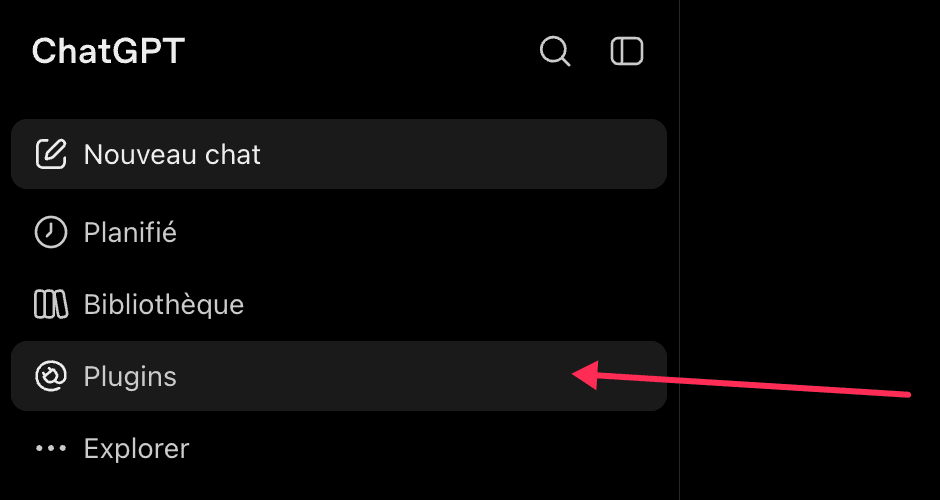
- 1In ChatGPT, open Plugins in the sidebar.
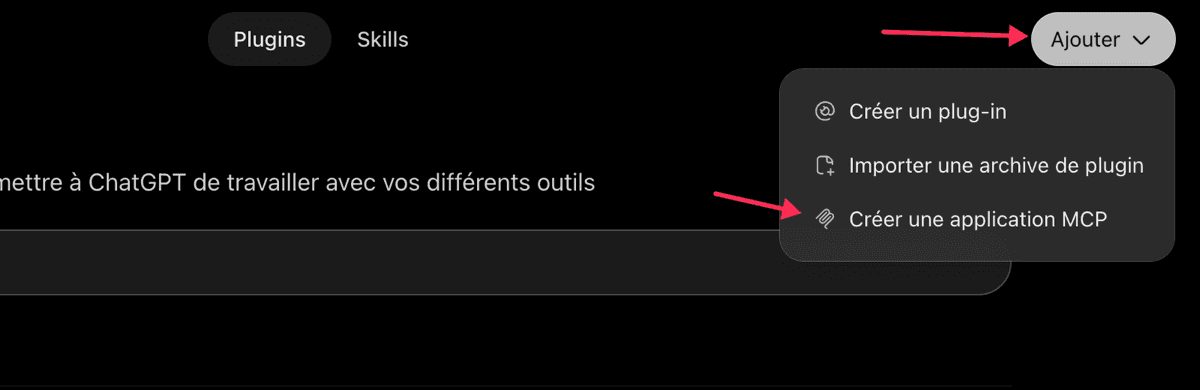
- 2Click Add, then Create an MCP app.
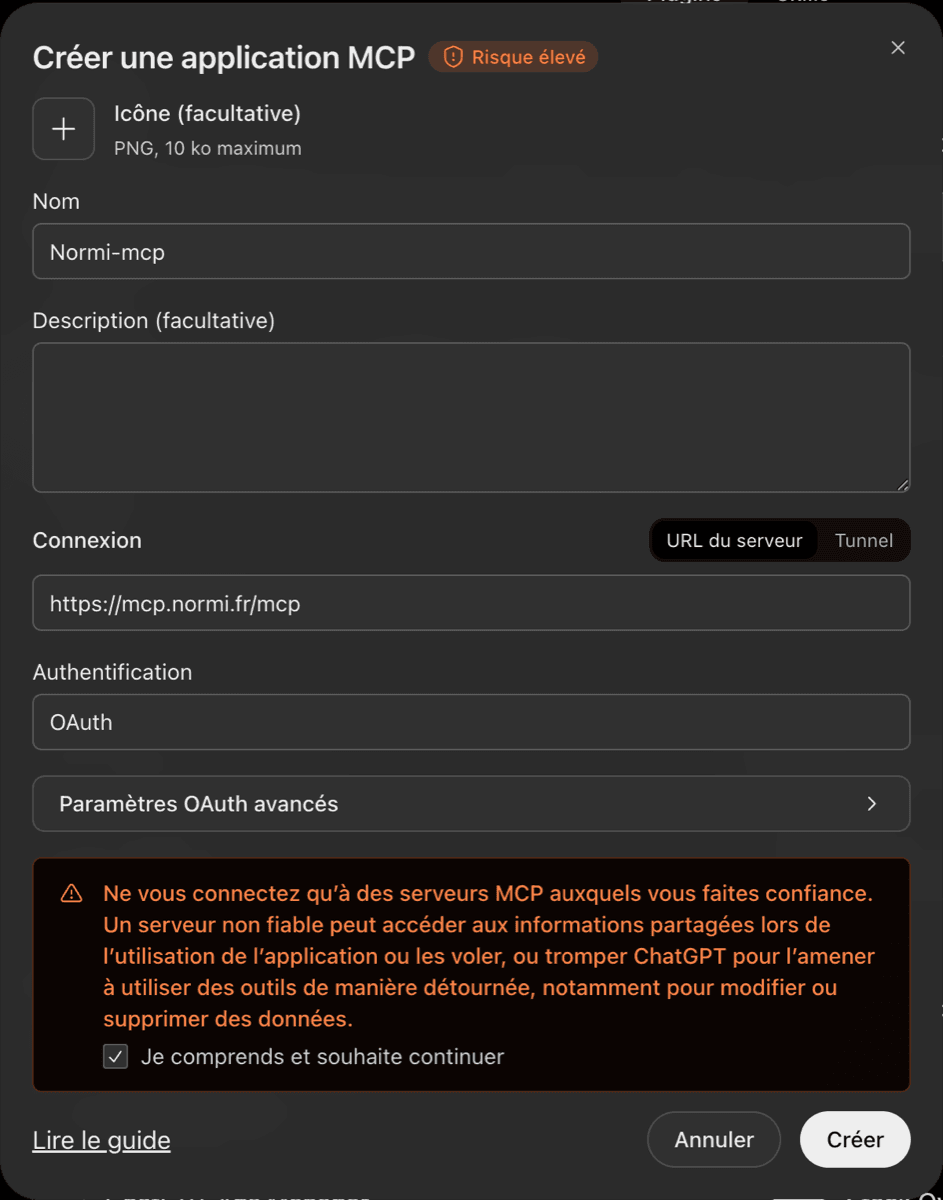
- 3Give it a name (any name works: if “Normi” is taken, use for example “Normi-mcp”), keep “Server URL”, paste https://mcp.normi.fr/mcp and choose OAuth authentication. Leave the advanced OAuth settings alone. Tick the risk acknowledgement, then click Create.
- 4ChatGPT opens normi.fr: sign in if needed, check that the page names ChatGPT, then click Authorize. You land back in ChatGPT with the app active.
Values to enter
| Name | Normi |
| MCP server URL | https://mcp.normi.fr/mcp |
| Authentication | OAuth |
Without OAuth: the secret connector URL
If your ChatGPT workspace doesn't allow OAuth, create a ChatGPT URL in Dashboard → Tokens → AI connectors (Advanced section), paste it as the server URL and choose No authentication. That URL contains a secret: don't share it, and revoke it if needed.
Test the connector
Once the app is created, open a ChatGPT conversation and ask for example:
What is the median price per m2 for apartments in Lyon 6?
Quick troubleshooting
“Reconnect” fails with “This app doesn't currently provide a browser configuration URL”: ChatGPT caches the old configuration. Delete the app in ChatGPT and create it again.
“no active API key” on every call: you revoked your only Normi key. Create one in the dashboard; ChatGPT resumes by itself.
To cut access: Dashboard → Tokens → Connected apps → Revoke. Signing out of normi.fr does not disconnect ChatGPT.